Fast, forgiving and honest with your code: it opens every form you have, and writes back only what you changed.
Free during the beta – until 1.0 and a month beyond. Everything included – just download and start designing.
Keep your favorite editor – Rider, VS Code or Visual Studio – and finally get a real designer next to it.
Windows 10 and 11 · .NET Framework 4.8 and .NET 8+
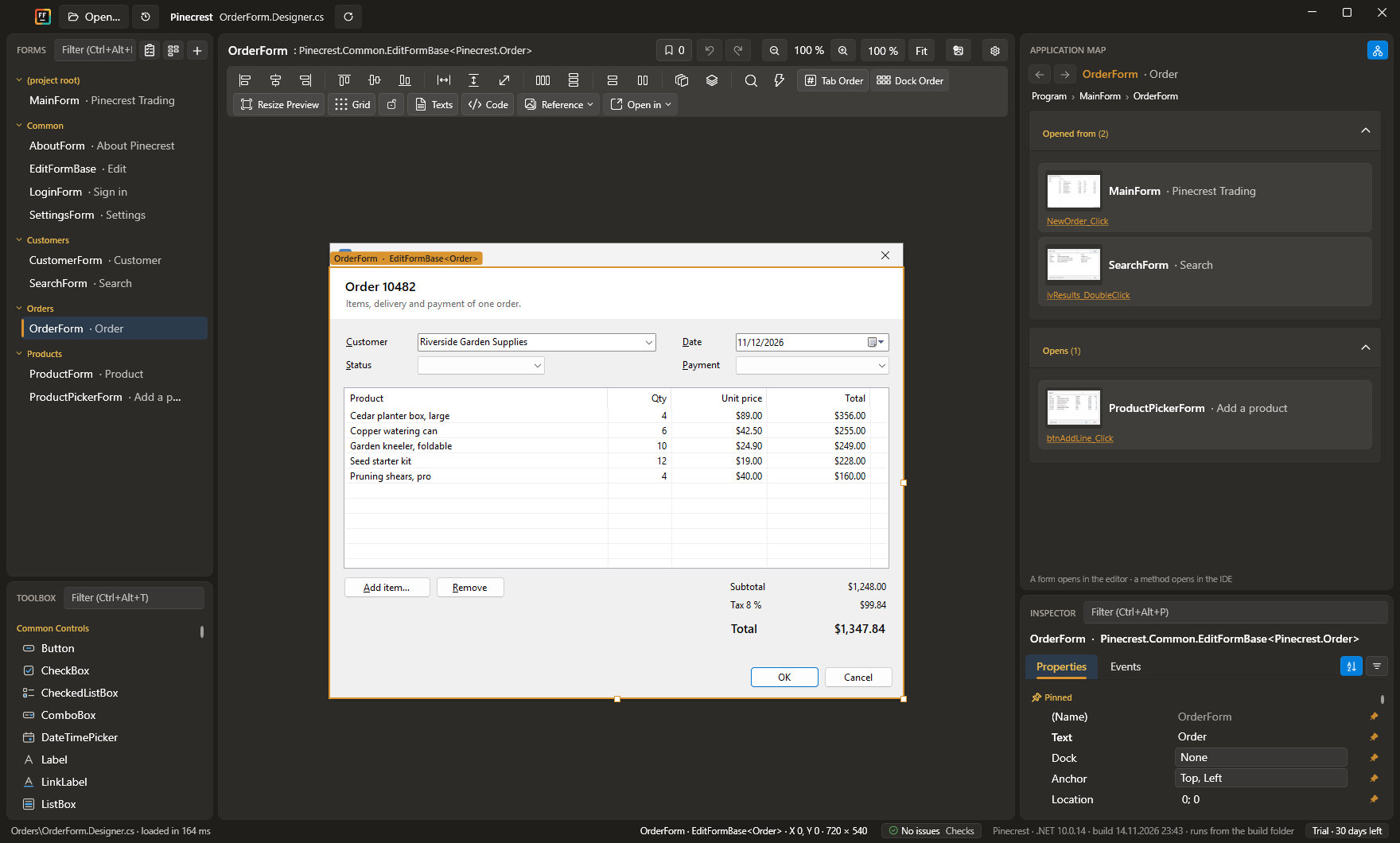
Built for real-world WinForms. Every form opens – generic, broken or ten years old – with your own controls, third-party libraries and hand-written code just as you left them.
Every form as a live thumbnail, grouped by folder. Spot the dialog by how it looks and open it with a click.
The application map shows which form opens which, and where in the code it happens. The fastest way into an app you have just inherited.
Designer code from another project, a blog post or an AI chat? Ctrl+V turns it into real controls on your form.
Hold the right mouse button and your favorite controls circle the cursor. Flick toward one and it lands right there. After a day, your hand knows the way.
Drag the form's edge and watch anchors and docking at work. Try Windows scaling from 125 to 200 % and dark mode – your code stays exactly as it is.
More than 30 checks spot overlapping controls, duplicate access keys, gaps in the Tab order and more – while you work, and in your build from the command line.
Treats your .Designer.cs like source code.
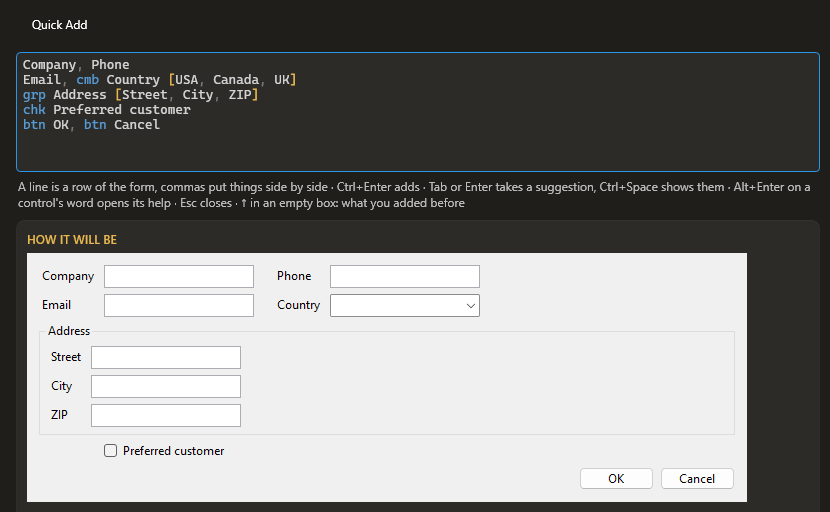
btn cancel, Enter takes you thereType a few words, get a finished dialog: labelled fields, aligned columns, OK and Cancel – named, in Tab order, one undo step. Instant, offline, the same every time.
You type Ctrl+Q
You get → a live preview, then Ctrl+Enter
Every feature in every license – the only question is who pays for it.
Already using FinallyForms? Send it right from the app: Settings → About → Send Feedback – it can add a problem report with the app’s logs, too.
Or write to us: [email protected]
Open a new message in Gmail · Outlook.com · your email app
Licenses go on sale with version 1.0, and 1.0 starts with a free 30-day trial of its own – everything included. When you are ready, buy a license
and enter the key in the app you already have.
Perpetual fallback license: every license includes a year of updates, and the versions
released in that year stay yours – forever.
$99 first year
$199 per developer
Buying for a team? Buy as many seats as you need – they come in one key that renews in one go.
For a quote, an invoice or a purchase order, write to [email protected].
Maintaining an open-source WinForms project? Ask us for a free license – see the Terms.
Prices without VAT. Payments, invoices and VAT are handled by Paddle, our reseller; companies enter their VAT ID at checkout.
Your 15-year-old enterprise app, fast to edit again.
Free during the beta – just download and start designing.
 FinallyForms